How to Print a Book: A Guide to Commercial Book Printing, Binding & Production
From Finished Files to Finished Books: What Happens Next?
Finishing your manuscript or publication is only the beginning. Learning how to print a book means navigating file preparation, page size, printing methods, paper, binding, quantities, proofing, and distribution. This guide from Prestige Color walks you through each decision, from finished files to professionally printed books.
Preparing For Book Project?
1. Prepare Your Book Files for Printing
A smooth print run starts with properly prepared files. Before sending your book to production, confirm the details that can affect everything from page layout to final trimming:
- Final Manuscript: Complete proofreading and revisions before preparing files for print.
- Page Size: Establish the finished dimensions of your book before finalizing the layout.
- Page Count: Confirm the final number of interior pages.
- Margins: Leave appropriate space around text and other important content; at least 0.25” inside the trim edge.
- Color: Ensure your document is set to Cyan, Magenta, Yellow, and Black (CMYK), and unused spot colors are deleted.
- Fonts: Make sure fonts are properly included in your final files, including the fonts used to create EPS graphics.
- Images: All images are at least 300 DPI at actual size.
- Bleeds: Ensure a 0.125” bleed on all sides.
- Cover Files: Prepare the front, back, and spine according to the book’s final specifications.
- Print-Ready PDFs: Export the final, print-ready file as a high-quality PDF and package it for output.
Not sure how to start your commercial print project? Download Our Full Prep Guide
Talk to Your Printer Before You Finalize the Design
Page size, paper, binding, page count, and other production choices can affect how you build your files. Bringing your printer into the conversation early can help identify requirements before you lock the design, avoiding preventable file changes, production delays, and added costs later.
Important Notes:
- Use Adobe InDesign for page layout.
- Don’t use Microsoft Word to produce files.
- Don’t create multi-page documents in art programs (e.g., Adobe Illustrator and Photoshop).
2. Plan the Book Design and Layout
Good book design isn’t only about appearance; it needs to work with how your book will ultimately be printed and bound. Before finalizing the layout, consider:
- Trim Size: Choose the finished height and width of your book.
- Page Layout: Create a consistent structure that makes content easy to follow.
- Typography: Select readable fonts and establish consistent sizing and spacing.
- Margins: Allow sufficient space around content, including near the binding.
- Headers & Footers: Keep recurring information consistent without distracting from the page.
- Page Numbers: Determine their placement and account for pages where numbering may not appear.
- Cover & Spine: Design around the book’s finished dimensions, binding style, and final spine width.
- Image Placement: Position photography, illustrations, and graphics with trimming and bleeds in mind.
Design With the Finished Book in Mind
Production decisions can shape the design. Trim size, paper selection, page count, binding method, and other specifications may affect everything from margins to spine width. Setting these details early helps your design translate cleanly from screen to finished book.

3. Digital vs. Offset Book Printing
When Digital Book Printing Makes Sense
Best for:
- Shorter runs
- Faster production
- Smaller quantities
- Initial/test runs
When Offset Book Printing Makes Sense
Best for:
- Larger quantities
- Cost efficiencies at volume
- Color consistency
- Repeat publications
4. Choose the Right Paper for Your Book
Paper affects more than how your book feels in your hands. It can influence readability, image quality, overall thickness, shipping costs, and how the finished book is perceived. Consider:
- Coated vs. Uncoated: Coated stocks can enhance photographs and graphics, while uncoated paper offers a more natural look and feel.
- Paper Weight: Heavier isn’t always better. Choose a weight that fits the book’s purpose, page count, and desired feel.
- Color Reproduction: Books with photography or detailed artwork may benefit from paper selected specifically for strong color reproduction.
- Readability: Consider how the paper’s finish, color, and opacity affect longer stretches of text.
- Book Thickness: Paper choice, along with page count, determines the book’s overall thickness and spine.
- Shipping Weight: Heavier stocks can increase the weight of larger orders, making distribution another factor to consider.
- Cover Stock: Choose a cover that provides the right combination of durability, appearance, and feel for your publication.
Don’t Choose Paper From a Screen
Whenever possible, review physical paper and print samples before deciding. Seeing and feeling different stocks helps you compare texture, weight, color reproduction, and overall quality—and choose a paper that matches the experience you want your finished book to deliver.
5. Choose a Book Binding Style
Binding determines how your book looks, feels, opens, and holds up over time. The right choice depends on factors like page count, paper, intended use, quantity, and budget. Our design team can help you choose the ideal option for your specific printing needs.
Perfect Binding
Pages and cover are glued together at the spine with a strong, flexible adhesive.
Best for:
- Paperback-style books
- Manuals
- Catalogs
- Longer publications
Keep in mind: Must have 2-page increments.
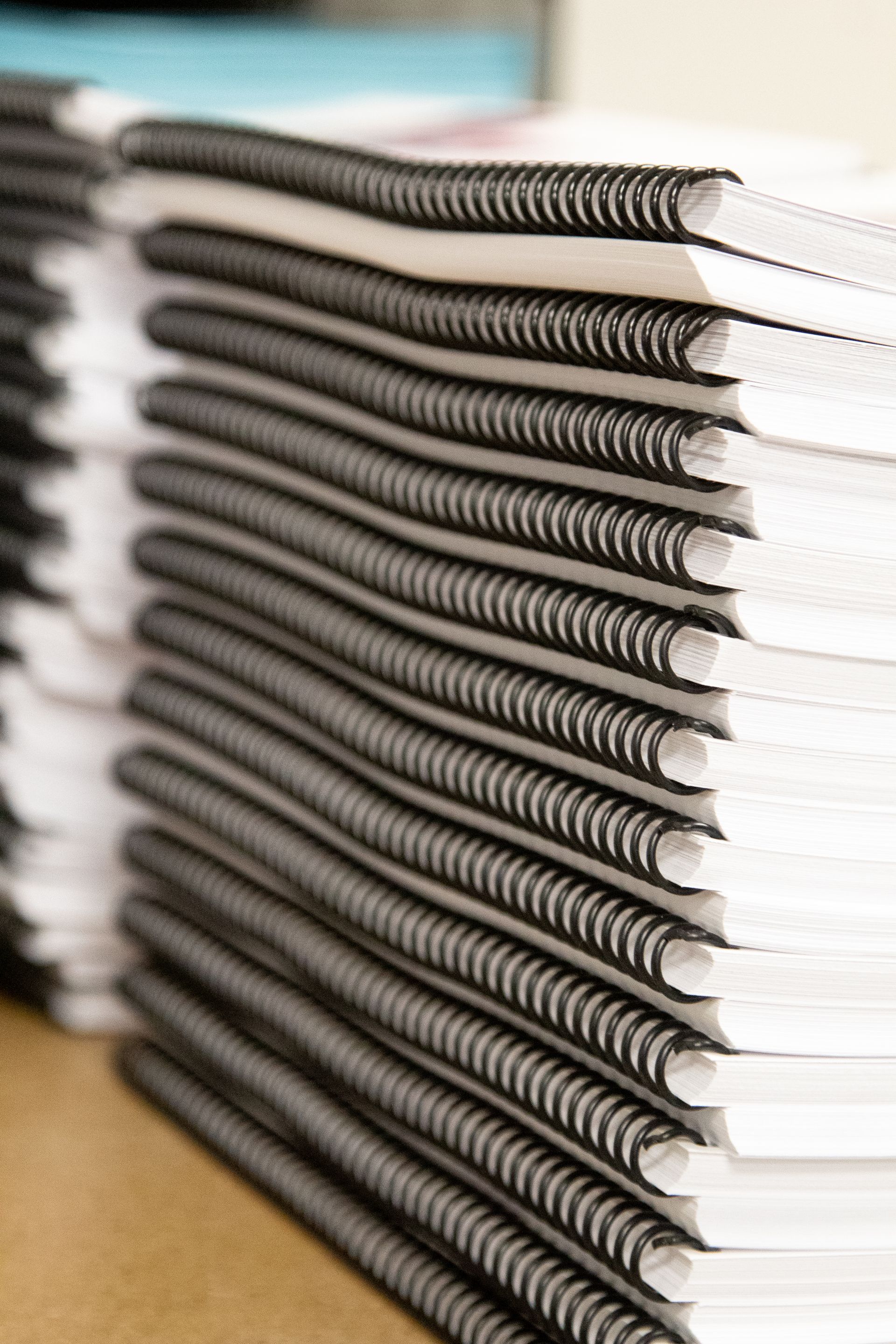
Spiral/Coil Binding
Uses a durable, continuous coil threaded through punched holes.
Best for:
- Workbooks
- Manuals
- Training materials
- Books that need to lie open
Keep in mind: The interior margin must have a 1/2” margin with no critical information.
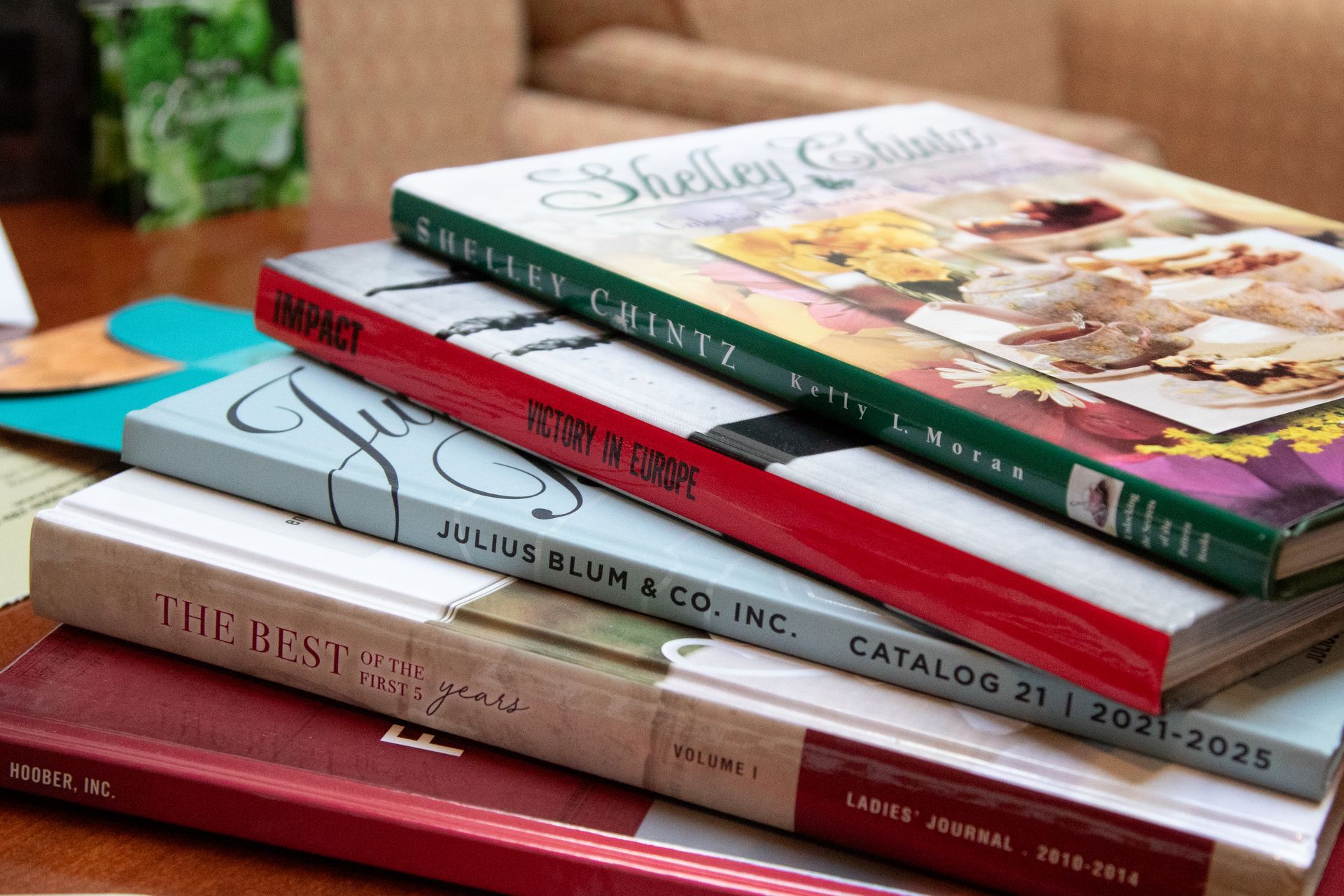
Hardcover Binding
Durable, substantial, and built to last.
Best for:
- Premium and durable book projects
Keep in mind: Generally requires a longer production timeline.
Saddle Stitching
Folded printed sheets are nested inside one another and stapled through the center fold.
Best for:
- Shorter booklets and publications
Keep in mind: Must have 4-page increments.
6. Review Your Book Proof
Before approving your book for production, review the proof carefully from cover to cover. Small issues that are easy to correct now can become costly once the full print run begins. Check:
- Page Order: Make sure every page appears in the correct sequence.
- Images: Look for missing, blurry, cropped, or incorrectly positioned images.
- Color: Review how colors reproduce, particularly on brand elements and photography.
- Margins: Confirm text and important design elements have appropriate spacing from trim and binding areas.
- Page Numbers: Check that numbering is correct, sequential, and properly positioned.
- Headers & Footers: Look for consistency throughout the book.
- Cover: Review all text, artwork, placement, and final dimensions.
- Spine: Confirm the title, text, and graphics are correctly positioned.
- Blank Pages: Make sure intentional blank pages are present—and no unintended ones slipped in.
- Formatting: Check fonts, spacing, alignment, paragraph styles, and other layout details for consistency.
Read It Like It’s Already Printed
Don’t review only for typos. Look at the proof as a finished book, paying attention to how each page flows into the next and whether anything feels out of place. Once everything is approved, your project can move confidently into production.
7. Determine How Many Books to Print
There’s no one-size-fits-all print quantity. The right number depends on how your books will be used, how quickly you expect them to move, and whether another edition or update could be coming. Before setting your quantity, consider:
- Expected Demand: Estimate how many books you realistically expect to sell, distribute, or use.
- Budget: Consider both your total project budget and how quantity may affect the cost per book.
- Storage: Decide where you'll store finished books and how much inventory you can comfortably manage.
- Future Revisions: If content could change soon, a smaller initial run may reduce the risk of being left with outdated copies.
- Distribution Plans: Account for books going to customers, retailers, events, multiple locations, or other recipients.
- Digital vs. Offset: Digital and offset printing have different production economics. The most cost-effective method depends on your quantity, specifications, timeline, and other project requirements.
Print for the Plan, Not Just the Price
A lower cost per book doesn’t necessarily make a larger run the better value. Consider how the books will actually be used, stored, and distributed, then work with your printer to determine the production approach that makes sense for your project.
8. Plan for Finishing, Fulfillment and Distribution
Once your books come off the press, they still need to get where they’re going. Planning fulfillment and distribution early helps you account for what happens to every copy after production.
- Packaging: Determine how books should be packed and protected for their next destination.
- Storage: Consider where you'll keep inventory if you aren’t distributing the entire run immediately.
- Shipping: Factor shipping requirements and destinations into your overall production plan.
- Multiple Locations: Plan ahead if you need to divide books and deliver them to different offices, stores, events, or recipients.
- Distribution: Establish how finished books will move from production to readers.
- Ongoing Print Runs: If demand will continue, discuss how future runs and inventory replenishment can be managed.
Think Beyond the Press
Knowing where your books need to go—and when—can influence decisions made much earlier in the printing process. Share your distribution plans with your printer upfront so production, packaging, inventory, and delivery can work together instead of becoming separate logistical challenges.
What Information Does a Book Printer Need for a Quote?
The more your printer knows upfront, the more accurately they can price and plan your book project. You don’t need every detail finalized, but having the following information ready is a great place to start:
- Finished Dimensions: The final width and height of the book after trimming.
- Page Count: The total number of interior pages.
- Quantity: How many copies you’re considering printing.
- Interior Color: Whether pages will print in black and white, full color, or a combination.
- Paper: Your preferred interior stock, weight, or finish, if known.
- Binding: The binding style you’re considering, such as perfect bound, saddle stitched, or hardcover.
- Cover: Cover stock, color requirements, and any special specifications.
- Finishing: Any coatings, laminates, specialty finishes, or other finishing requirements.
- Delivery: Where finished books need to go, including multiple locations when applicable.
- Deadline: When you need the finished books in hand.
Professional Book Printing with Prestige Color
Ready to turn your files into finished books? Prestige Color helps businesses, organizations, educators, authors, and other customers evaluate custom production options, with book printing, binding, digital and offset printing, and distribution capabilities to support projects from production through delivery.
Your Book Is Ready. Let’s Get It Printed.
Learning how to print a book goes well beyond sending a PDF to press. From printing method and paper to binding, quantity, proofing, and distribution, every choice shapes the finished book. Talk with Prestige Color to work through the details and get your project into print!